The Best Scraping API for Amazon Product Data using Smarter Ai Agents
The best scraping APIs for Amazon product data return structured JSON, not raw HTML. See how Pumice does it.

Matt Payne
July 7, 2026
Optimizing your product catalog & product data operations is one of the best ways to help customers make the most informed decisions surrounding your products. When a potential customer reaches a product page the worst thing that can happen for your conversion rates is they feel a disconnect between the product data they see, and what information would lead to more trust to purchase.
Customers also want to feel like the product they’re looking for in their head is easy to find in your catalog. One of the easiest ways to lose a customer searching on your site for a standing desk is to see normal desks populating their search result, even if the titles are extremely close. Customers rarely are interested in searching hard on your store before going to a competitor, as 47% of users give up their search after just one attempt.
Let’s look at a few problems that lead to poorly optimized product catalogs and how you can leverage ai based product catalog optimization to automatically perform product information management tasks with high accuracy.
Here’s a few definitions to get us started.
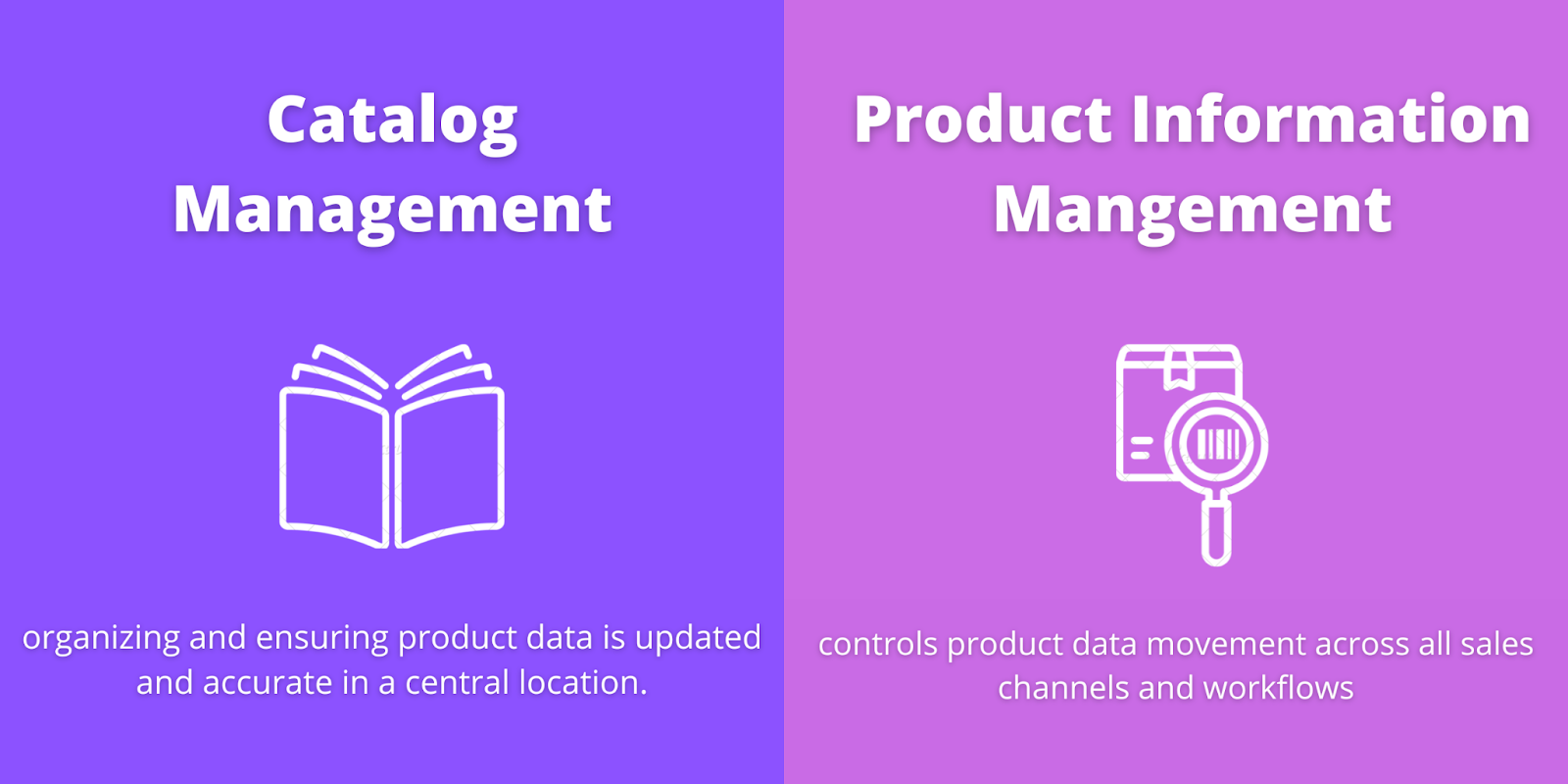
Product catalog management is an internal process focused on organizing and ensuring product data is updated and accurate.
The goal is a system that is standardized across all sales channels that allows you to sort, retrieve, and update your e-commerce product catalogs based on fields such as product title, description, prices, SKUs, and vendors with high levels of variance across products or categories.
This becomes especially important for large ecommerce retailers with multiple vendors or multi-seller marketplaces as the input product data can vary quite a bit from seller to seller which can lead to issues when standardizing internally.
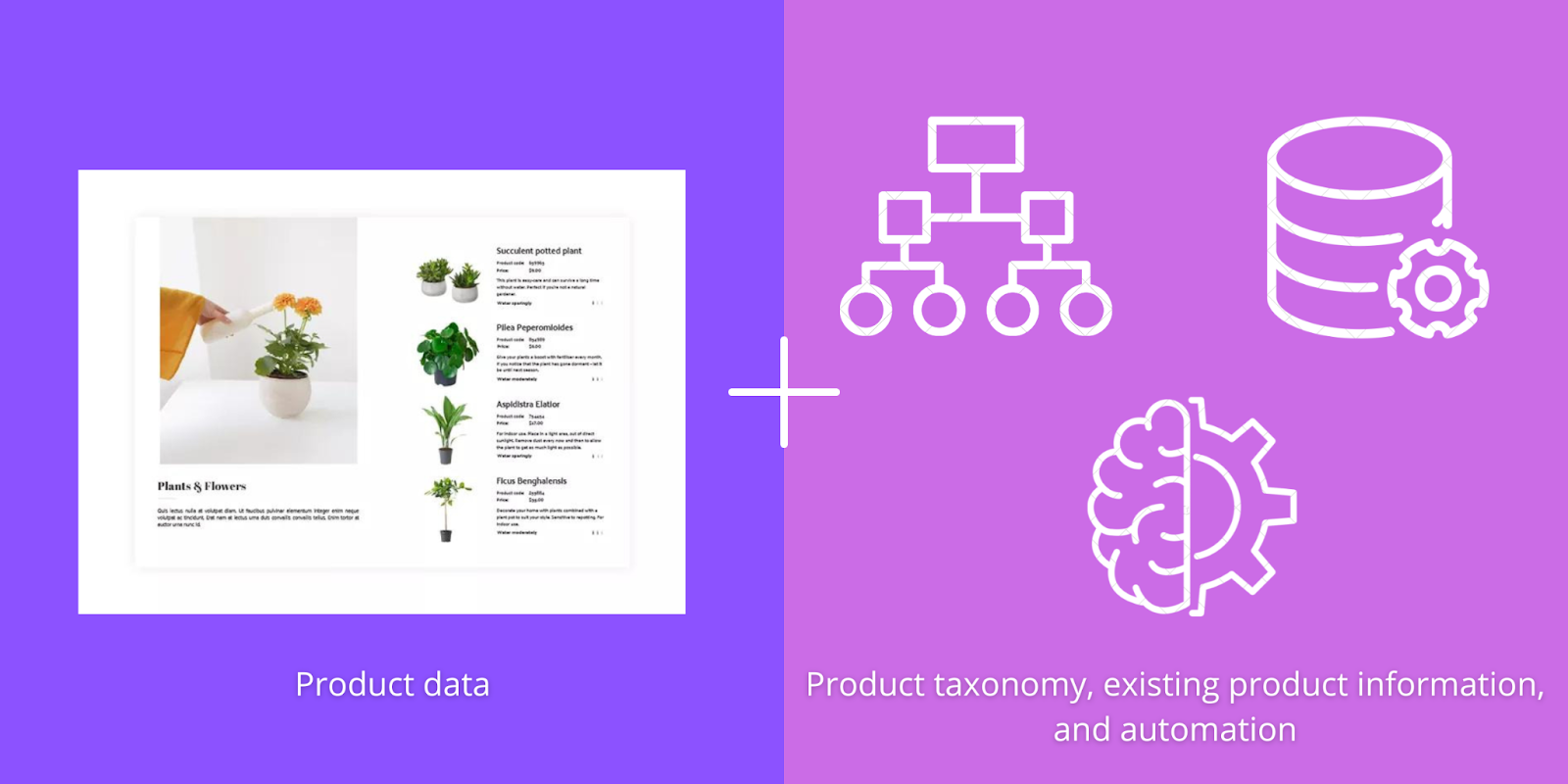
Product catalog optimization is an important product information task focused on optimizing the shopping experience for potential customers with the goal of improving conversion rates and buyer trust. When you’ve captured the interest of potential customers you have to take advantage of it, especially when 79% of your visitors will head to a competitor's site for the same product if they can’t easily find what they’re looking for. Buyers shop online with a very clear idea of what they’re looking for, and will jump at the first PDP that aligns with their product vision.
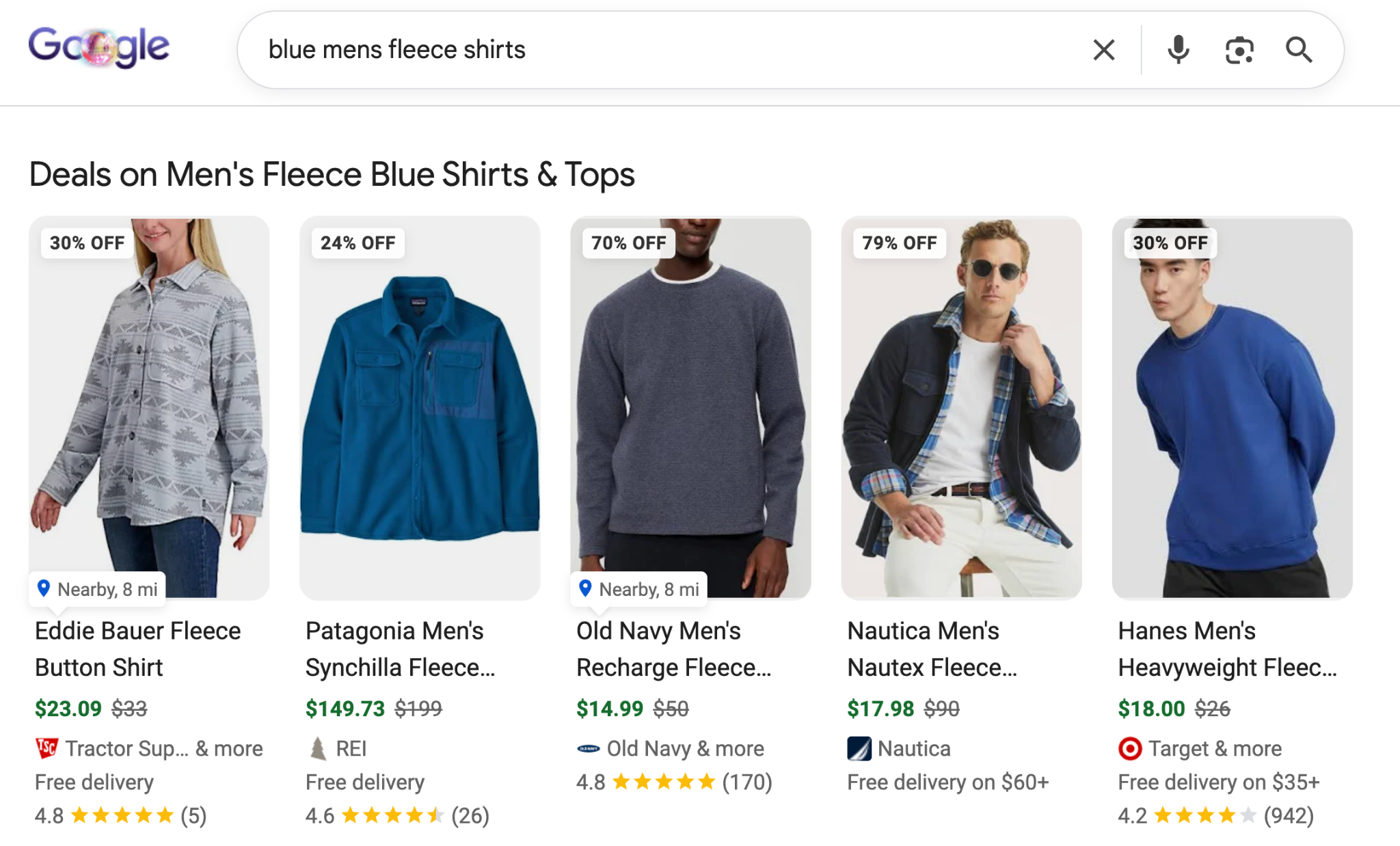
The product catalog optimization benefits go past just on-site conversions and potential customer trust. Optimizing your catalog can lead to more organic traffic through better search engine optimization (SEO) results. Only 0.78% of Google searchers click on a result from the second page, and the #1 ranking page gets 49% of all search traffic.
Here are a number of ways companies are currently optimizing their product catalog.

Potential customers being able to find the exact products they’re looking for in a search is one of the best ways to keep them from getting frustrated and leaving your site without buying. If a user is searching a “Fresh Food” section looking for bread products that only exist in “Baking” they won’t find what they want in a timely manner. While the bread products are categorized correctly they don’t align well with buyer intent and lead to a reduction in sales & average order value.
A well-organized product taxonomy helps us structure the ecommerce product catalog and available categories in a way that leads to the least amount of “leakage” in buyer intent. Making sure the tree structure makes sense and products are placed in the right categories are both ways to better structure our product catalog. It’s no wonder that Forrester found that poorly architected sites sell 50% less than organized sites with solid product taxonomy.
No potential buyer wants to view a product and see the wrong product title or model number based on what they see in the image. They also probably don’t want to read the description and feel even more confused because it’s too short or too confusing. Earning the trust of your buyers is a key part of building a strong brand and data integrity is a place to start.
Making sure your e-commerce product data is complete and descriptive is a huge part of product catalog optimization. Customers want to see product titles and descriptions that include key information about the product and answer any questions they might have. Product images should show the full range of product capabilities, designs, and sizing information if necessary.
Product descriptions and titles are two key parts of how search engines evaluate a product page's relevancy to keywords. Making sure duplicate or overlapping content across products is removed helps ensure google ranks you in front of your target audience.
Clean, structured attributes are the foundation every other catalog optimization task sits on. The title, the description, the schema markup, the marketplace feeds, the faceted navigation, and the AI workflows that rewrite product content all depend on having the right attributes captured in the right fields with the right values. When attributes are messy, missing, or buried as free text inside a description, every downstream system has to work around the gap, and most of them just give up and rank lower instead.
The first place clean attributes pay off is in search and discovery. Buyers filter by size, color, material, voltage, certification, and dozens of other category-specific facets. Each filter combination is a long-tail buyer query waiting to convert. A product with material: linen, length: midi, color: navy, and sustainability: GOTS certified populated cleanly ranks for every combination of those terms, surfaces on every filter a shopper applies, and serves up the right answer when an AI shopping surface or visual search engine asks for "sustainable navy linen midi dress." The same information buried in a paragraph of description does none of that reliably.
The second place clean attributes pay off is in schema and rich snippets. Product schema (price, availability, brand, color, size, aggregateRating) only generates rich snippets when the underlying attributes are structured, not parsed out of free-form copy. Rich snippets give listings disproportionately more SERP real estate, which translates into higher click-through rates on every keyword the page already ranks for. Marketplace and visual discovery feeds for Amazon, Walmart, Google Shopping, Pinterest Rich Pins, and Instagram Shopping all have the same requirement: structured fields in, structured listings out. Without clean attributes, the catalog cannot scale across channels without manual rework on every SKU.
Clean attributes are not a separate task from SEO, content marketing, or merchandising. They are the substrate every one of those programs runs on.
The standard process of product catalog optimization comes with a number of downfalls that seem to get worse as the complexity of your online retail business grows. Most of these are due to the busy work and required manual processes that come with many of the tasks that make for successful product cataloging.
Constantly optimizing and updating your product catalog and taxonomy requires a level of manual effort that normally needs full teams devoted to the various tasks. These industry specific tasks require a level of business understanding that makes it much more expensive to hire. Employees have to have a strong understanding of product categorization, quality product data, and even SEO to be able to complete these tasks efficiently and effectively.
As you grow your product catalog and further expand your categories these optimization tasks become more challenging and take more time. Optimizing the catalog system for 5,000 products and 100 categories is infinitely easier than for 10,000 products and 200 categories. This scales exponentially if you are cross selling on 3rd party channels. The increased volume means a larger team, and the increased complexity means more time per task.
Catalog optimization requires knowledge of many different marketing strategies and conversion focused user experience design. The intersection of these different skills often requires different teams to work together to constantly keep up with the catalog optimization process.
Many small ecommerce companies don’t have dedicated teams for product cataloging and taxonomy. This leads to pulling key team members into these business performance disrupting tasks and away from main business processes. By the time a team member clears dedicated time for product cataloging the issues might have gone on for too long.
What if we could reduce the resources required for product catalog optimization and solve these issues? Let’s look at how Ai can be used.
Ai and machine learning (ML) allow us to automate a huge portion of the manual tasks required for product catalog and customer experience optimization, or SEO. These ML algorithms learn relationships between product data, product categories, and high converting product data fields to automate many of the above tasks with high accuracy. Many of these tasks can be accomplished with 99% accuracy, with built in guardrails to ensure the data created follows your brand guidelines, ground truth data, and any compliance rules.
The reduction of manual labor at scale is the largest benefit of automation. Many of these ai catalog optimization tasks take just a few seconds to run whereas a human operator might take a few minutes. Catalogs with 5,000 or 50,000 products take nearly the same amount of time and no longer take days to complete. Expanding the complexity no longer exponentially increases the hours required to complete catalog tasks as well. Taxonomy trees that are 3 layers deep aren’t quicker to fit than 5 layers deep, whereas human effort increases due to complexity.
We’ve built a product catalog enhancement tool called Pumice.ai that allows you to automate product data related processes with ai for complete product catalog optimization. 15x faster than manual effort can. Let’s look at how you can get started in just a few steps.
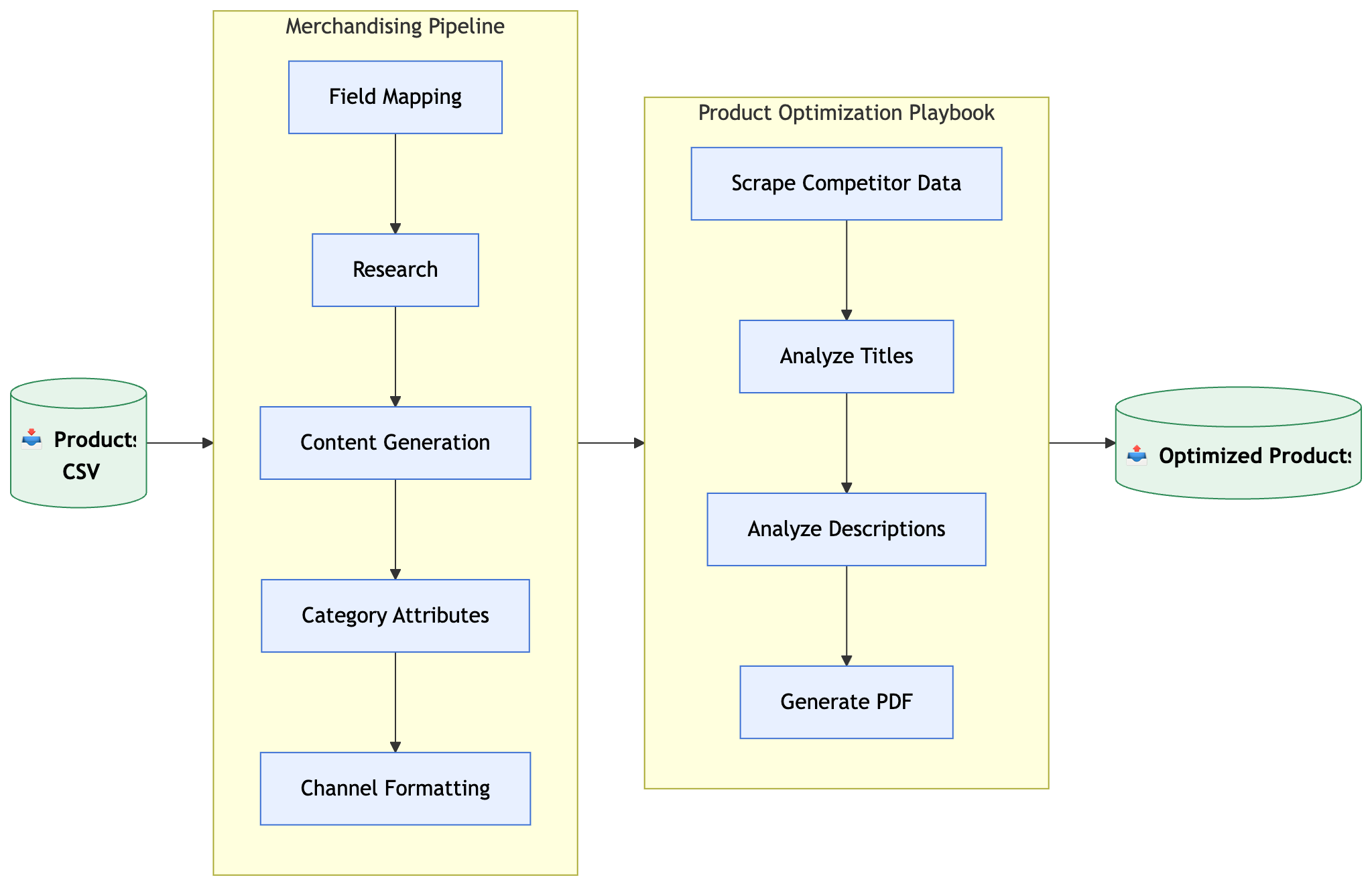
First, you want to gather any product information required for the catalog optimization task. If you’re enriching your existing products you’ll need to hook up the Pumice API to your product catalog, or export the product records you want to optimize to upload to our dashboard.
Depending on the process you want to complete you might need one of these combinations of product information:
1. Relevant product data that is already optimized for the catalog task, and new product records that need to be optimized.
2. Product data alongside the corresponding metadata and categories.
3. Only the new product records needed for the given task. Things like flat files from a manufacturer, PDF catalogs, or other data that can be used as ground truth.
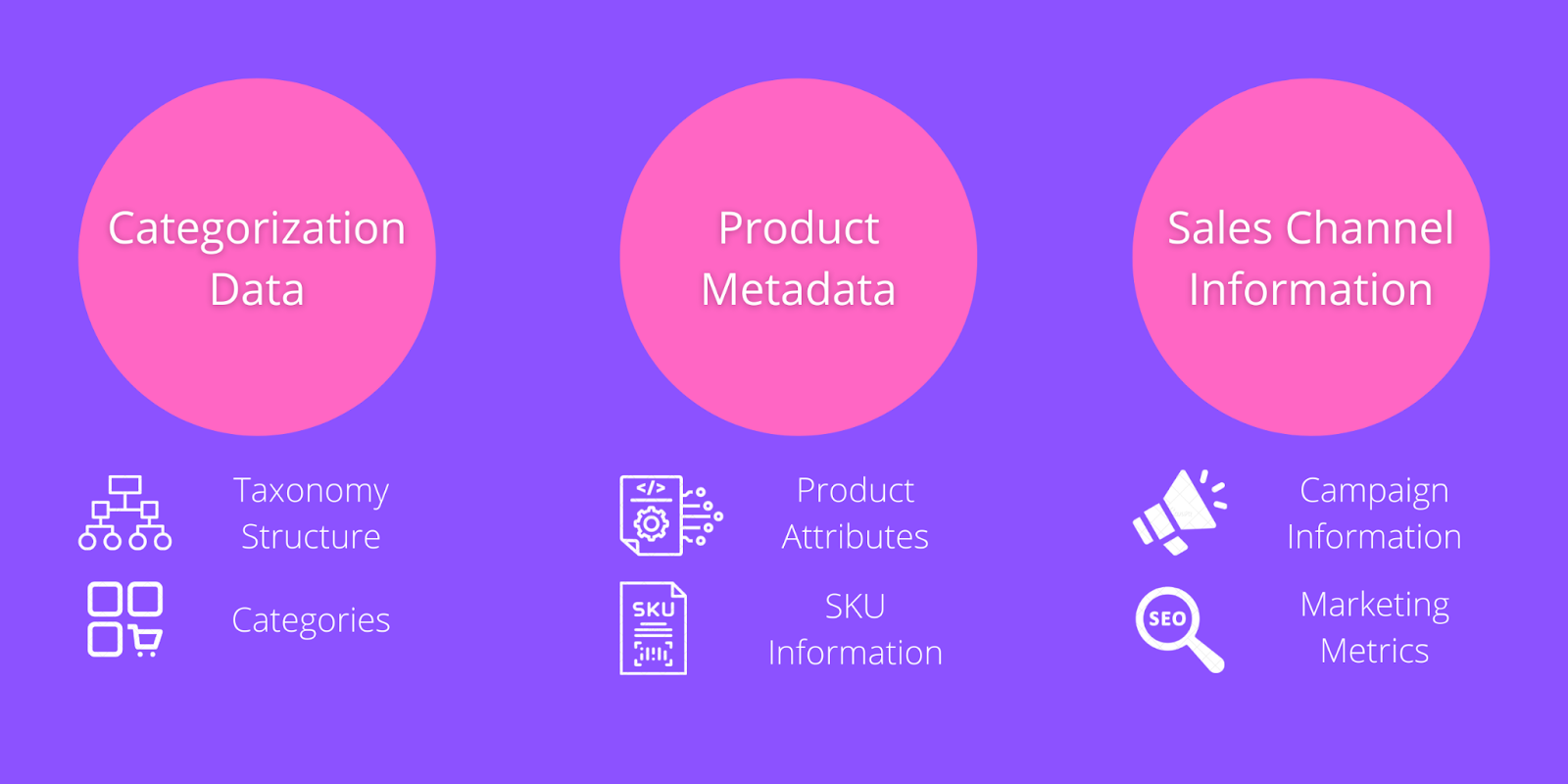
4. To go alongside product information data many catalog optimization tasks require specific data related to categories, metadata, and sales channel information. This data is often used as the “goal” side of many operations relative to the product information. The amount of data required from this step is relative to the different pipelines that we’ll take a look at below.
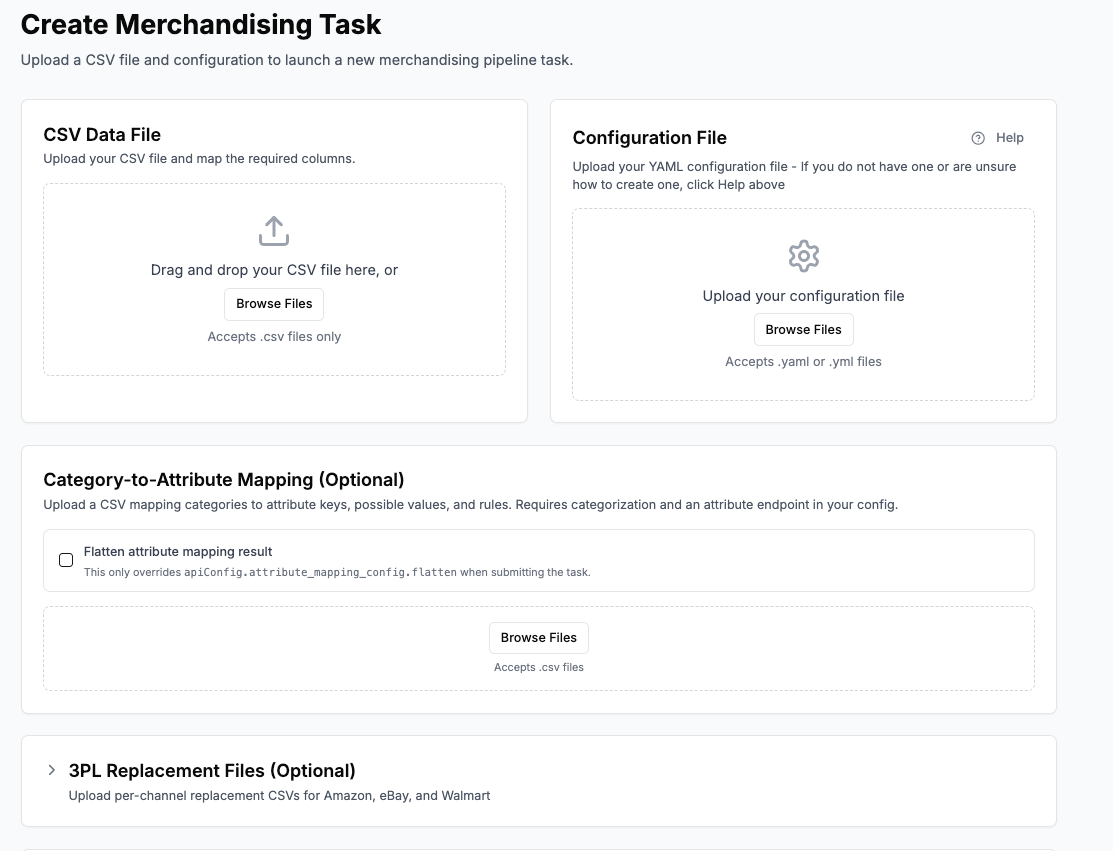
Pumice.ai allows you to add your data to our platform through an API connection to the pipelines or via a CSV upload. You’ll be asked to format your data into an acceptable format based on the endpoints you’re using, and provide a configuration file that outlines the exact process you want to perform.
Now that we’ve got our data and task set up, let’s take a look at a few of the baseline operations available in Pumice.ai. These endpoints can be used as building blocks for different catalog processes when combined.
The research phase is the first automated step in a catalog optimization workflow. It exists for one reason: enrich the data you have for each SKU with real, verified product information before any AI rewrites or generates new content. Without that grounding, generation hallucinates specs, fabrics, sizes, certifications, or features that do not exist on the product. With it, every claim in the rewritten title, description, and attribute set traces back to a validated source.
The research phase is fully configurable per run through a YAML configuration file. You define which search steps to run, the order they run in, and which fields from the CSV row get filled into each query. A typical first query is a tight site search like site:manufacturer.com plus the SKU and product title, with placeholders for domain, MPN, and title pulled straight from the matching columns in your CSV row.
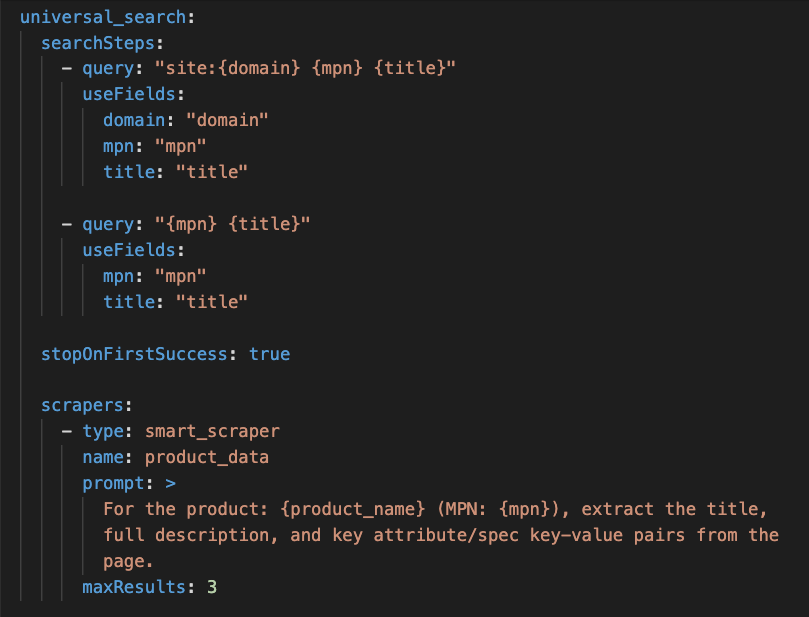
Fallback search queries chain into the same configuration. If the narrow manufacturer-site search returns nothing, the next query drops the site restriction and searches the broader web for the same SKU and title. You can chain as many fallback steps as the catalog demands. The stopOnFirstSuccess setting tells the pipeline to stop the moment one query returns useful results, so you never waste compute running a broader search after a narrow one already worked.
The configuration also controls how the scraper reads the pages it finds. The smart_scraper accepts a custom prompt that tells it exactly what to extract from each page, whether that is the title and full description, the spec list, the certifications, or a specific set of attribute key-value pairs you care about. A maxResults setting caps how many pages get scraped per product, which keeps the pipeline fast and prevents diminishing returns on near-duplicate sources.
For online product catalogs that came with manufacturer PDF catalogs, or spec sheets the research phase can use the PDF alongside the web scraper for additional grounded product data. The pipeline breaks the PDFs into a readable format, extracts the structured product data, and feeds it into the same generation steps. A focus block in the configuration lets you tell the writer which source to trust when sources disagree, with options for webscrape (prefer the live page), domain (prefer specific trusted websites you list), or pdf_catalog (prefer the uploaded catalog).

Because every part of the research phase lives in the configuration file, you can change the approach on a per run basis. Some runs need an aggressive web scrape with multiple fallback queries. Some need a single PDF catalog parse against a vendor file. Some need a hybrid where the search prefers a brand domain first and falls back to the open web. The same pipeline handles every variation without code changes, which is what makes the workflow scale across very different catalogs.
The validation step that closes out the research phase is just as important as the data collection itself. Once the search finds pages, the scraper opens up to three of them, extracts the title, description, full spec table, and key attribute pairs, then runs a validation check against the original CSV row. The check confirms the scraped page is the same product before any data flows into generation. Without it, the pipeline could enrich a product with attributes from a different variant or a different SKU, which is how catalogs end up with the wrong fabric, the wrong voltage, or the wrong certification baked in across thousands of listings.
After the research phase delivers validated product data for each SKU, the generation endpoints take over and write the enriched product record: the new title, the rewritten description, the expanded attribute set, the bullet points, and any Q&A content the catalog needs. The system can produce thousands of complete records per run, with each piece grounded in the verified facts the research phase already collected.
Each generation endpoint receives a small package of inputs: the existing product data from your CSV, any enriched research data from Step 3, the rules you define, the examples you provide, and the validation thresholds you set. Those four levers (rules, examples, validation, and the retry loop) are what take generation from a generic AI rewrite to a catalog-grade output that matches your brand voice and your category requirements.
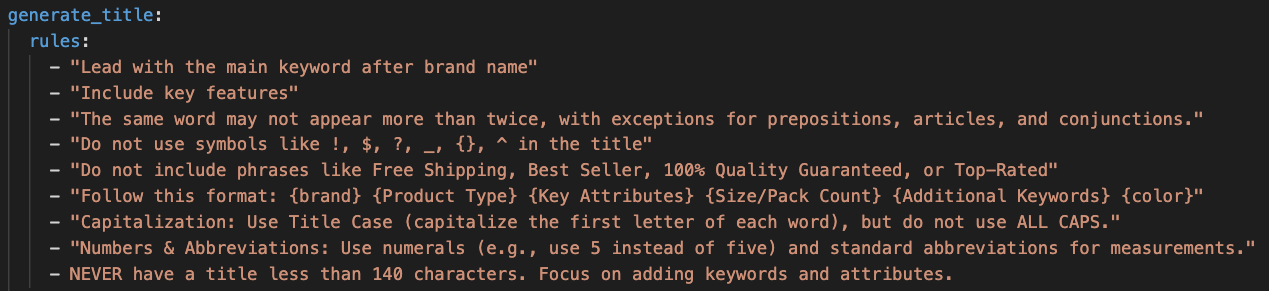
Rules are plain language instructions that tell the model how to write each piece of the product record. They read like a brief you would give a copywriter and shape every part of the output. Good examples include rules like "lead with the brand and model number," "include color, size, and material in the title," "avoid all caps and promotional text," "list compatibility with adjacent SKUs in the catalog," and "end the description with a clear call to action." You can write as many or as few as you need. Some teams write forty rules because their category has strict spec requirements. Others get strong results with five.
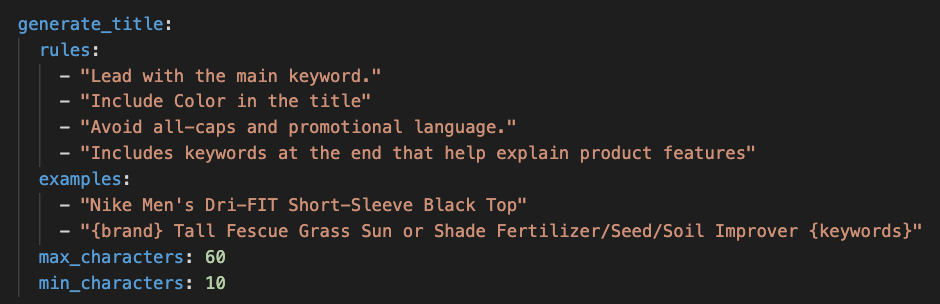
Examples are sample records that demonstrate what a good output looks like for your catalog and brand voice. Where rules describe the target in words, examples show the model the actual shape. A concrete example like a finished, real-looking title teaches the model the order. A pattern example with placeholders like {brand} {product type} {key attributes} {size} teaches the model the template. Mix concrete and pattern examples for the best results. Two finished records plus one template gives the model both a polished target and a clear structure to follow.
Validation runs after the content is written and enforces hard rules the model must obey. The most common validation rules are character or word counts. A maximum title length keeps the title from being truncated wherever it ends up displayed. A minimum description length prevents thin, useless outputs. You can also validate that required fields (certifications, MPN, material, voltage) are populated before the row is accepted. Limits depend on where the listing appears, so each generation endpoint can carry its own validation thresholds for the channel it serves.
The retry loop is automatically built in and ensures any validations defined are followed if the first generated output does not fit the requirements. Because the generation endpoints share the same research data, the same rules, and the same validation thresholds, the output across the entire catalog stays consistent. The title, description, attributes, and Q&A all reinforce each other instead of contradicting each other, and the enriched product record is ready to flow into your e-commerce catalog management tool in the next step.
Product taxonomy is how shoppers and search engines navigate a catalog. Right category, fast find, clean marketplace feed. Wrong category, lost sale.
Categorization runs as one of the generation endpoints inside the merchandising pipeline, alongside title, description, and attribute generation. Once the research phase has delivered validated product data for a SKU, the categorization endpoint accepts that data (title, description, attributes) and returns the best-fit category from whatever taxonomy you point it at. Because it runs in the same pipeline as the other generation steps, every product gets categorized at the same time it gets enriched.
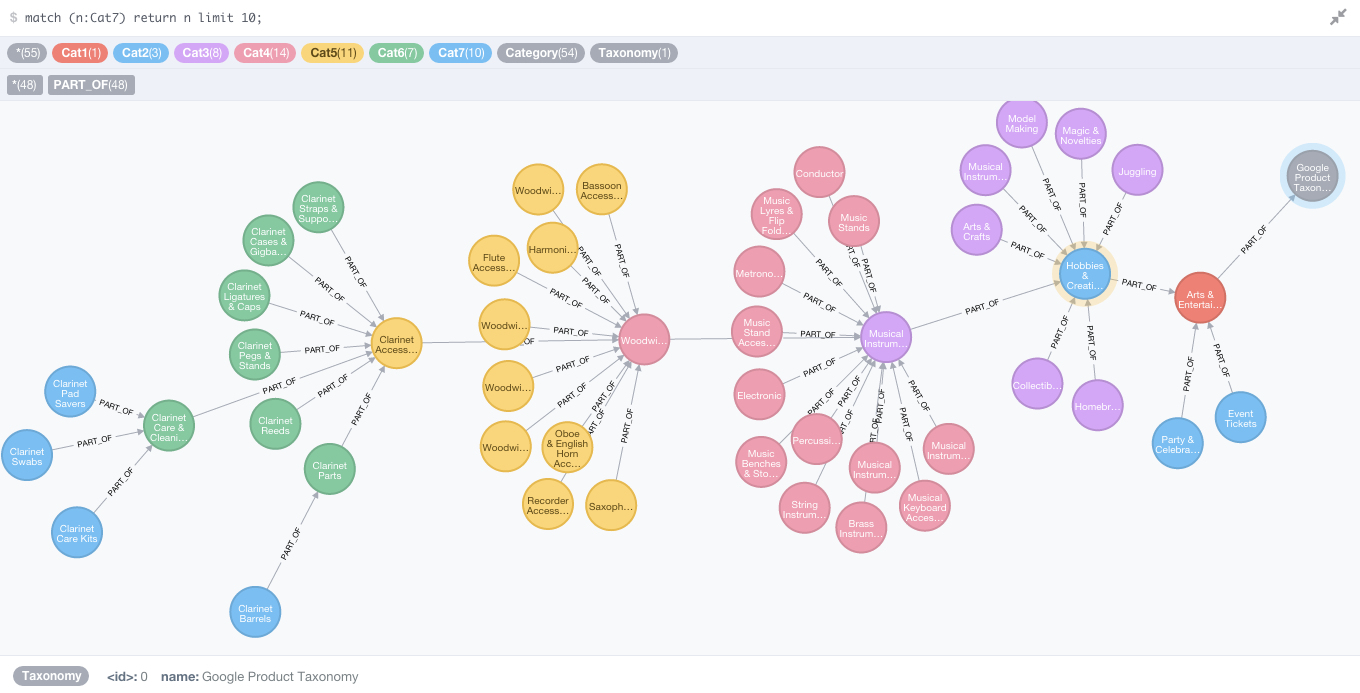
The endpoint is a machine learning model trained on millions of relationships between product information and category labels, so it understands the signal that maps a product to a node in a taxonomy tree rather than just keyword matching on the title. You can point it at any taxonomy you supply: your internal category structure, the Google Product Taxonomy (5,595 categories), the Amazon Product Taxonomy (10,000+ categories), the Shopify Product Taxonomy, or a custom tree for a specific marketplace. The same model fits the data to whichever tree you supply without needing retraining, which means a brand selling on five channels can categorize the same enriched record into five different taxonomies in a single run.
Most modern taxonomies run five or more levels deep, and accuracy at the leaf level is what determines whether a product surfaces in the right filtered category page or marketplace feed. Pumice's categorization models routinely operate at 92% to 97% accuracy at five levels deep, which is the threshold where the output is usable directly without a human review pass on every row.
Catalog-wide enrichment gets every product to a complete, publishable state. Flagship SKUs need a focused SEO pass on top of that. The Product Page Optimization Playbook is the second pipeline Pumice runs, and it is built for the products where per-page optimization pays back the hardest: top revenue SKUs, slow movers with rich data but thin traffic, and every new product launch where the copy needs to ship in SERP-winning shape from day one.
The playbook accepts one product at a time. Ecommerce businesses feed it the existing product data (title, description, attributes) and the main target keyword you want the page to rank for. The Pumice Agentic System then runs gap analysis, competitor analysis, keyword distribution analysis, and on-page metrics against the top-ranking pages in the SERP for that keyword. The output is a structured PDF that tells you exactly what is missing, what competitors are doing differently, and what to change on the page to close the gap.
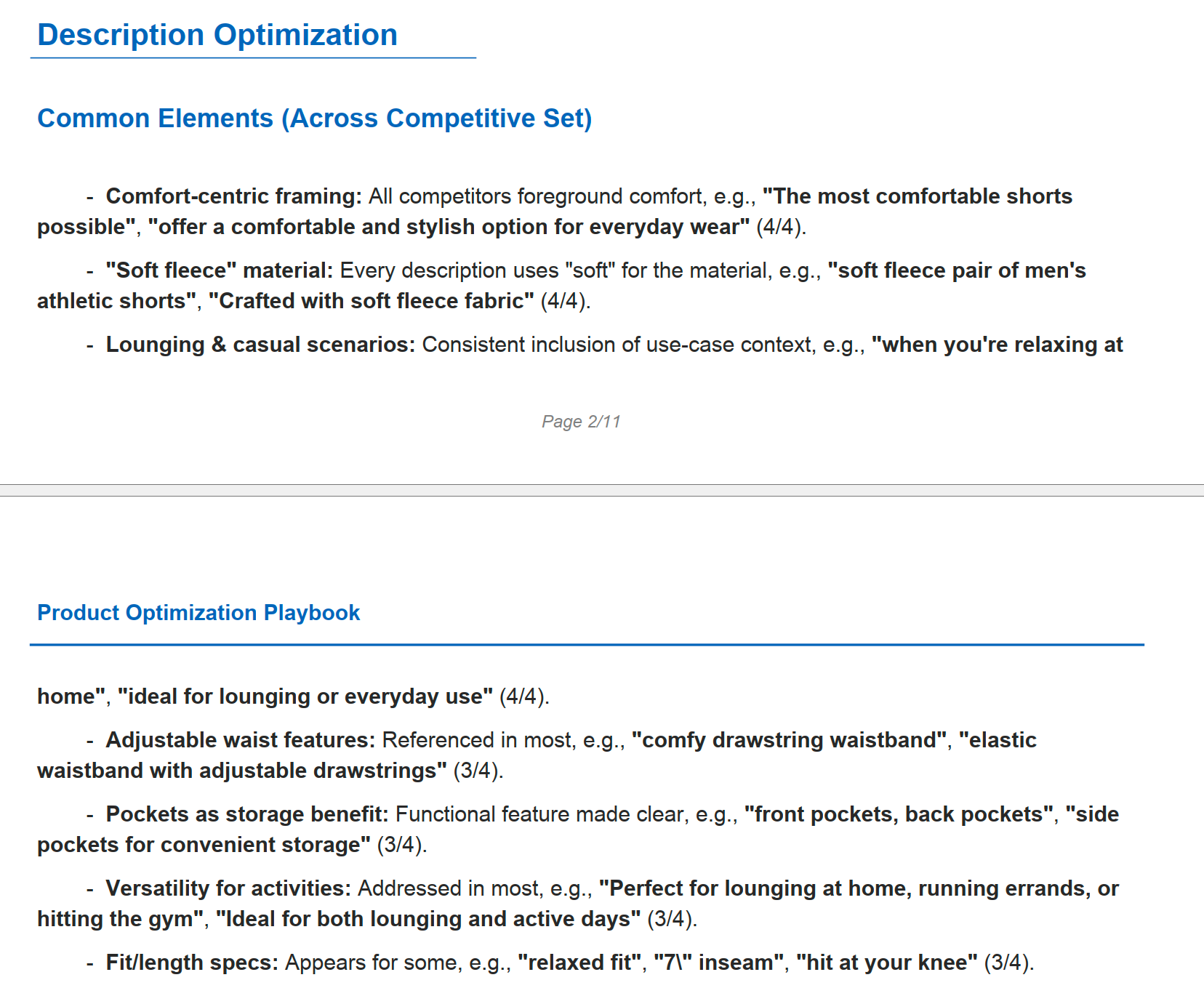
Every action item in the PDF carries four pieces of information: the action to take, the evidence behind it (what competitors do that you do not), the threshold check showing how many of the top competitors do this thing, and the data analysis reasoning. That structure makes the recommendations directly actionable. Apply the changes, rerun the playbook to confirm the new page closes the gap, and the SKU is ready to publish.
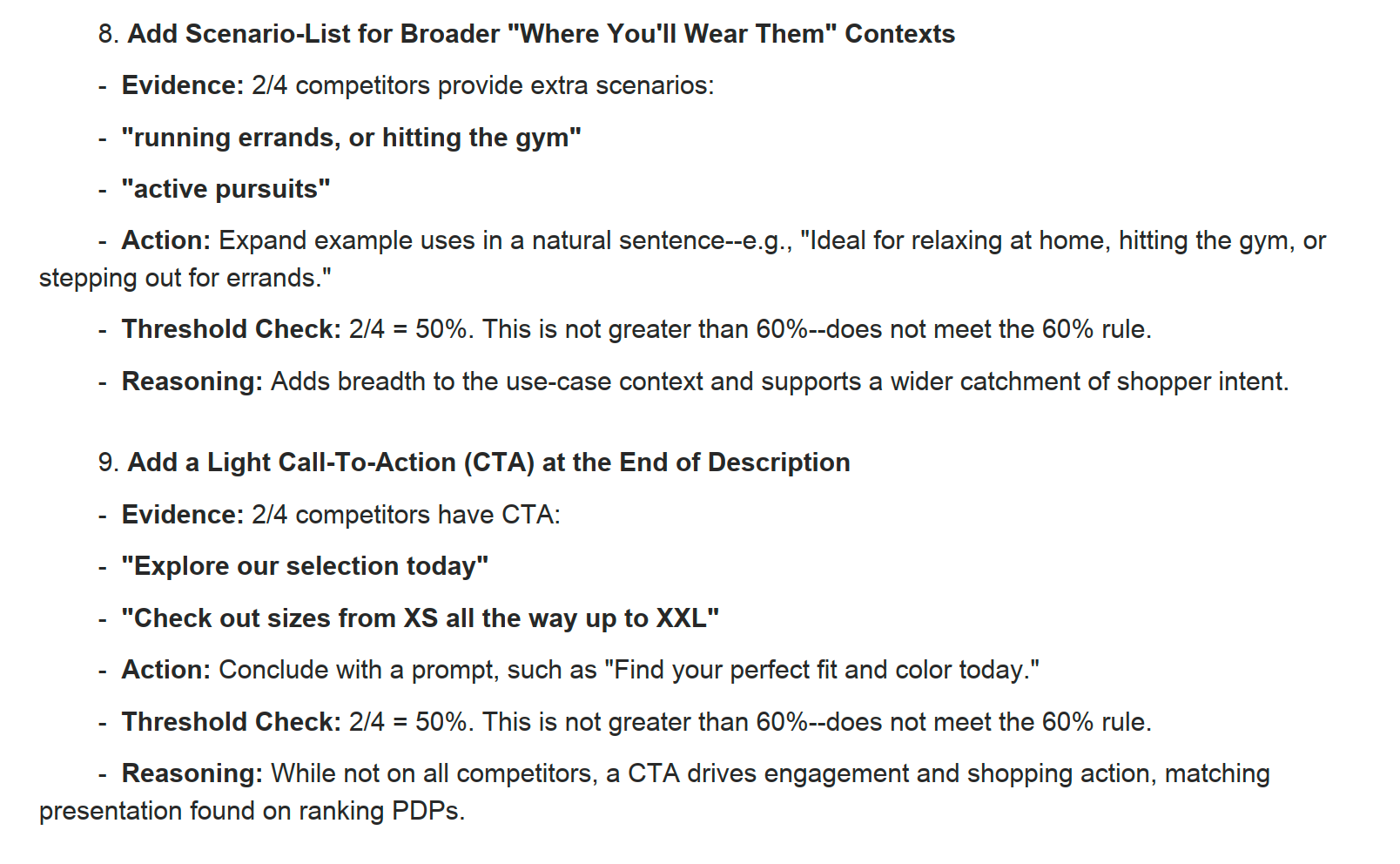
The merchandising pipeline solves the catalog-scale enrichment problem. The optimization playbook solves the per-page polish problem. Most teams run both in sequence: enrich the catalog with the pipeline first, then run the playbook against the top revenue SKUs and seasonal hero products that drive the bulk of organic traffic.
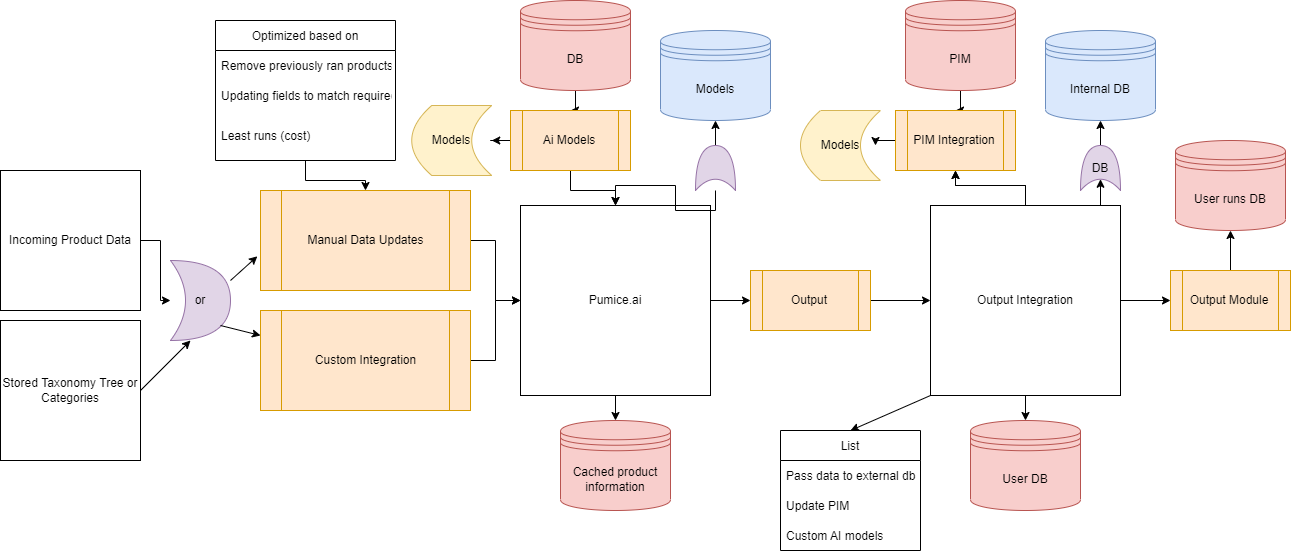
Once you've enriched the data, integrate it back into your PIM system or centralized product data repository through a custom integration to close the loop on the automated product data update cycle. These custom integrations allow you to add another level of business automation and remove more “human in the loop” steps. Our most popular integrations are:
- Shopify
- Woocommerce
- Custom Digital product catalog management tools
- Jasper PIM
- Salsify
- Sales Layer PIM
- Your centralized product data storage system
Pumice.ai is a PIM enhancement platform that leverages our proven NLP and Ai tools to automate product related backend processes in one easy dashboard. To take the baseline performance even further you can leverage the e-commerce development services of Width.ai to build custom integrations and models directly into the platform. Contact us today to learn more about how you can start using our ai models today!
