5 n8n Marketing Automation Use Cases We Run for Real Customers
5 n8n marketing automation use cases we run for customers, with the free workflow template for each one.

Matt Payne
July 16, 2026
In this tutorial we’ll walk through our n8n workflow that scrapes LinkedIn jobs with Apify, removes duplicates via Google Sheets, filters by title keywords, runs two AI analysis passes against your resume, and sends the best matches straight to Telegram.
The JSON export of the n8n workflow is available here as well: (n8n workflow)
A LinkedIn job scraper is usually used as a script that extracts job posting data from LinkedIn's job search results. It collects structured fields like job title, company name, location, description, apply URL, and posting date, then outputs the data in a format you can work with (JSON, CSV, or directly into a spreadsheet).
Some scrapers work through LinkedIn's public-facing pages without requiring a login. Others use authenticated sessions (via browser cookies) to access advanced search features like boolean queries, salary filters, and detailed applicant insights. I’ve seen some people try using Claude Cowork for this, which in my experience has led to Linkedin blocking the attempt.
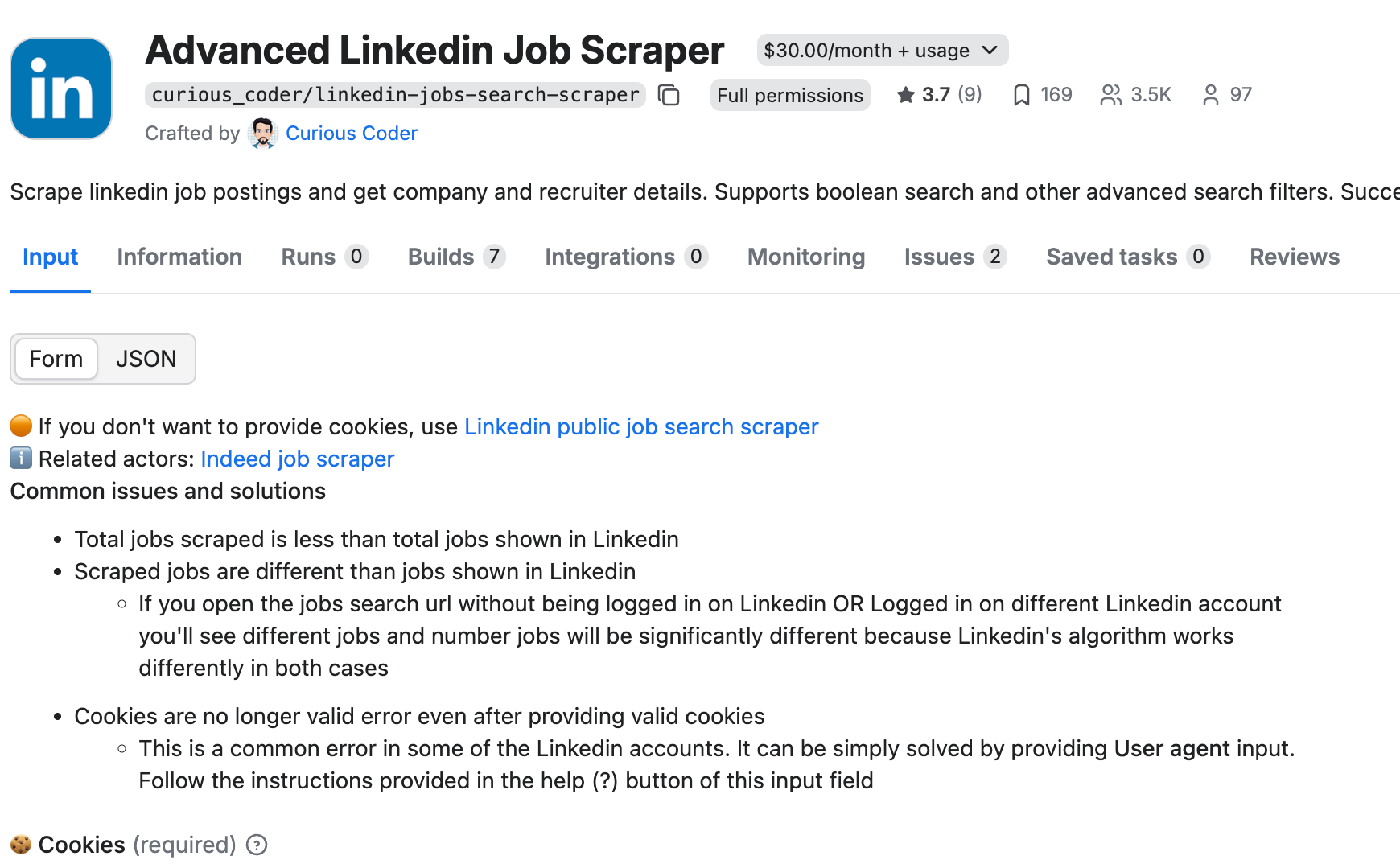
The scraper we use in this tutorial is the Advanced LinkedIn Job Scraper by curious_coder on Apify. It supports boolean search, multiple filter values, and pulls additional data like required skills and experience level. It worked really well for us.
n8n. An open-source workflow automation platform. Self-host it for free or use n8n Cloud. If you have never used n8n before, start with our beginner guide first.
Apify. A web scraping and automation platform. We use the Advanced LinkedIn Job Scraper actor (curious_coder/linkedin-jobs-search-scraper). It has a 3-day free trial. After the trial it costs $30/month plus usage. You will need your Apify API token from your account settings.
Google Sheets. Acts as a lightweight database. Tracks every scraped job so the workflow never processes the same listing twice. You can use a real database for this if you want, but Google Sheets is a bit easier to get set up.
Telegram. Receives instant notifications when the AI finds a strong match. Set up a bot via @BotFather in about two minutes.
OpenAI API key (or another LLM). Used for the Ai agents that read job descriptions and score them against your profile.
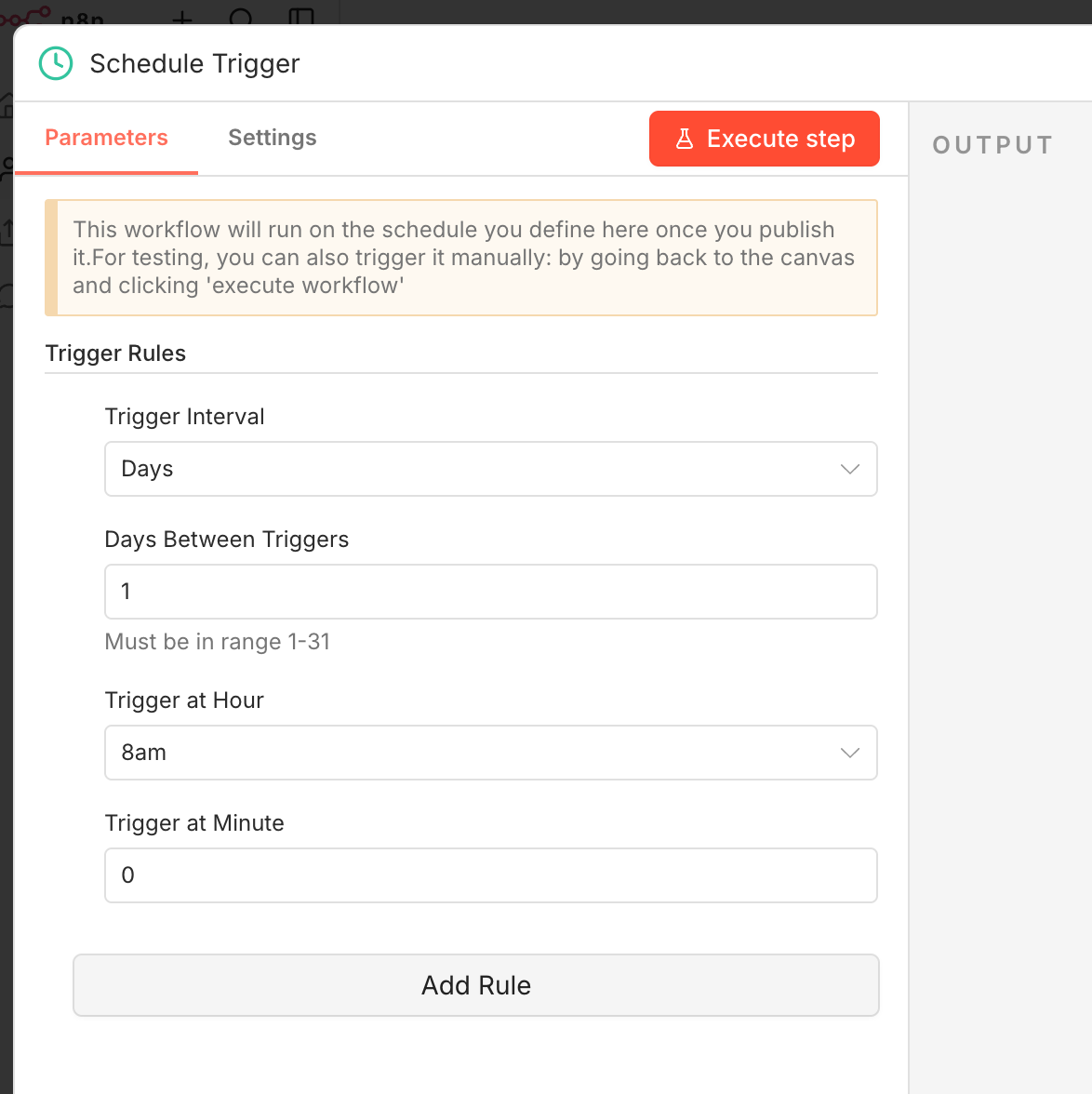
Open n8n and create a new workflow. Add a Schedule Trigger node as the first step. This controls how often the LinkedIn job scraper runs.
Running once a day works well for active job seekers. LinkedIn jobs accumulate hundreds of applicants within the first 24 hours, so scraping early and often gives you a timing advantage. Configure a cron or use the visual schedule builder to set your preferred times.
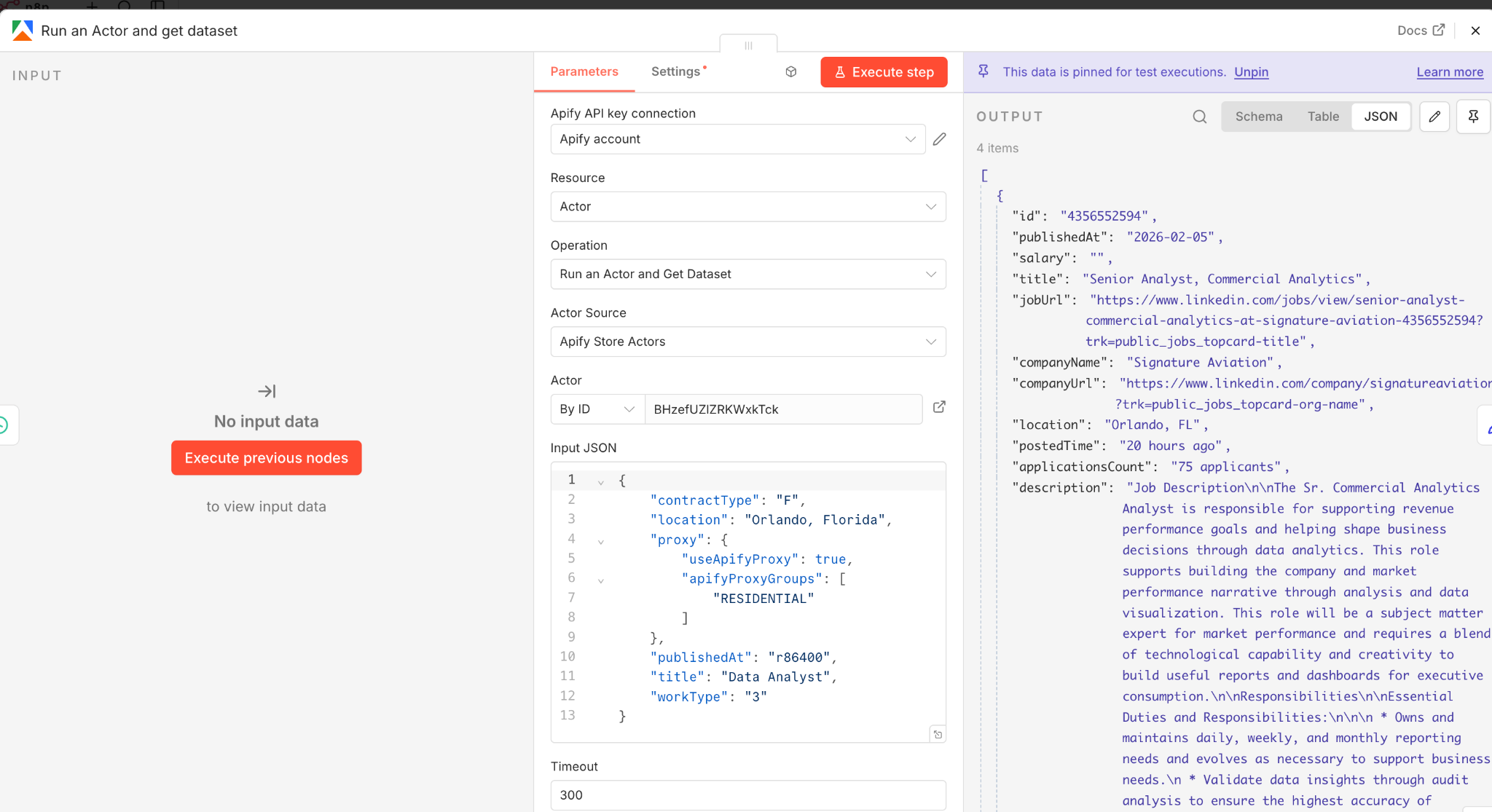
Add an Run an Actor and get dataset node in n8n to call the Apify API and trigger the LinkedIn Jobs Search Scraper actor. Paste your Apify API token into the credentials and point the request to the actor's run endpoint.
The easiest approach is to build your search directly on LinkedIn first. Set your preferred filters: job title keywords, location, experience level, date posted, remote/hybrid/on-site. Then copy the full URL from the browser and paste it into the actor's searchUrl parameter.
This Apify LinkedIn job scraper also supports boolean search. You can write queries like: "data scientist" AND (Python OR SQL) NOT intern. Boolean search is one of the biggest advantages over manual LinkedIn browsing where boolean support is limited.
The actor handles proxy rotation and request throttling automatically. It uses a fixed proxy from your country and adds random delays between page loads. There is no concurrency, which keeps your account safe but means scraping is slower. For most job searches, expect the actor to finish in 60 to 120 seconds. I’d set the timeout to a bit longer just in case.
Raw output from the Apify LinkedIn job scraper contains dozens of fields per listing. Most of them are not useful for analysis. Add an Edit Fields node (Set node) to extract only what matters:
Job title. Company name. Location. Job description. Apply URL. Job URL. Posted time. Contract type. Experience level.
If you run the scraper daily, the same jobs will show up repeatedly. The fix is a deduplication check using Google Sheets as a simple database.
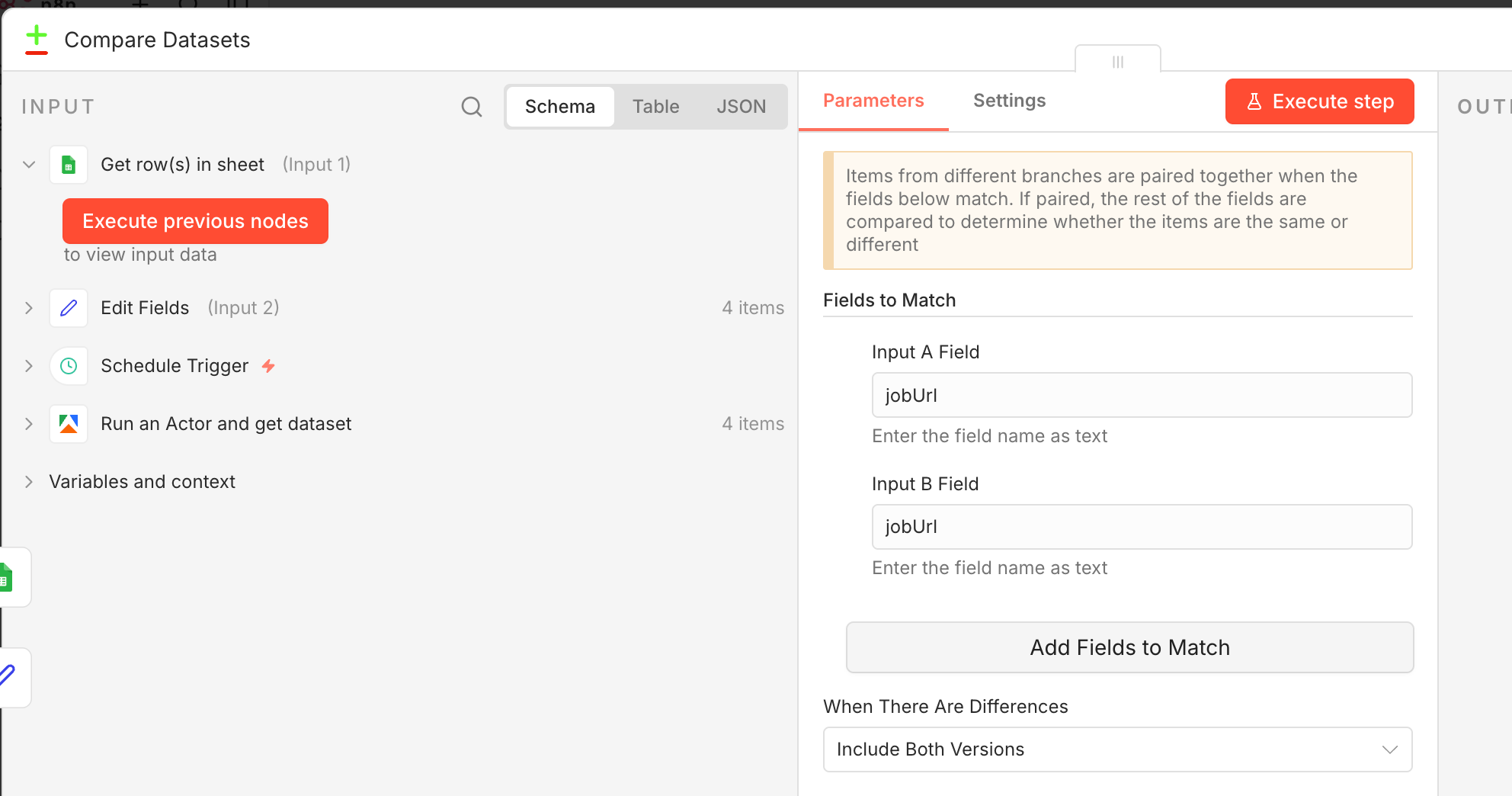
Add a Google Sheets node set to read mode. Pull all existing job URLs from your tracking sheet. Then use a Compare Datasets node to compare newly scraped jobs against the existing list. Only jobs that are not already in the sheet pass through to the next step.
This saves AI API credits (no point analyzing the same listing twice) and prevents duplicate Telegram notifications.
Even with good LinkedIn search filters you will still see irrelevant results slip through. A data analyst search might return 'data entry clerk' or 'business analyst intern' listings you do not want.
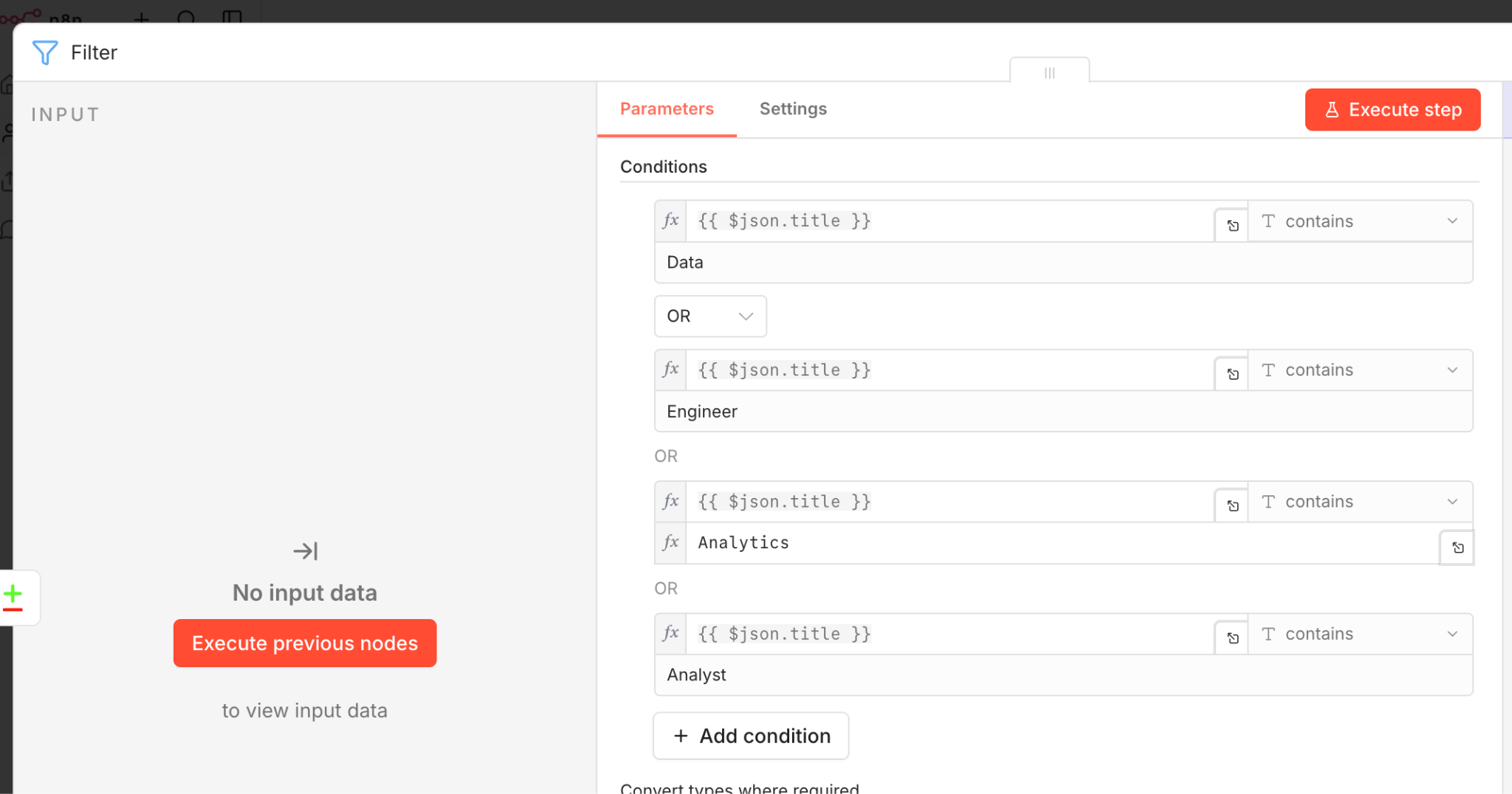
Add a Filter node that checks each job title against a list of keywords you actually care about. For a data science job search, your include list might be: data scientist, data analyst, machine learning engineer, analytics engineer.
You can also set up an exclude list for titles like intern, director, or front-end developer. This filtering happens before the AI step, which saves cost on API calls.
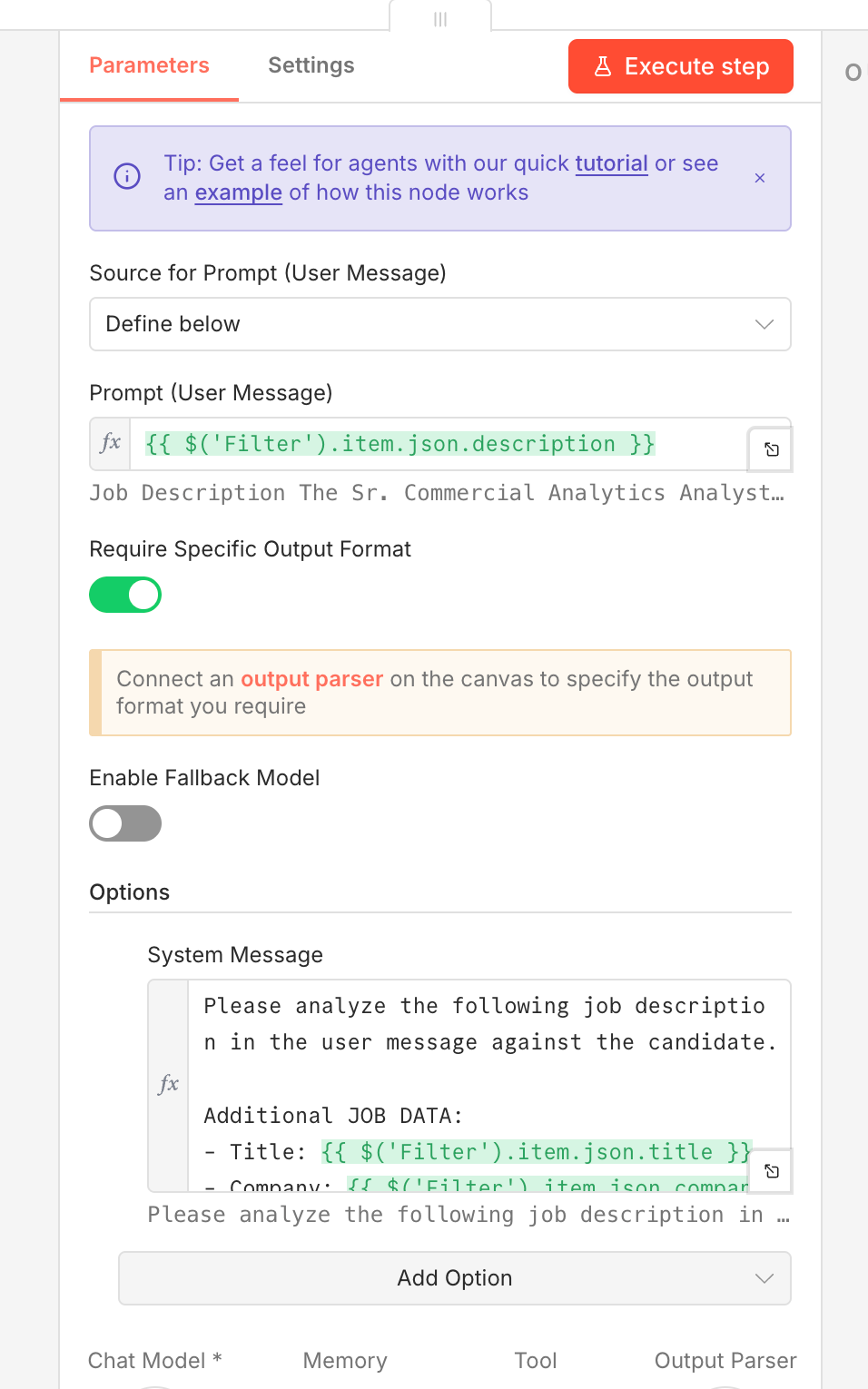
This is the most powerful part of the entire LinkedIn job scraper workflow. Instead of reading every job description yourself, an AI agent scores each one against your specific profile.
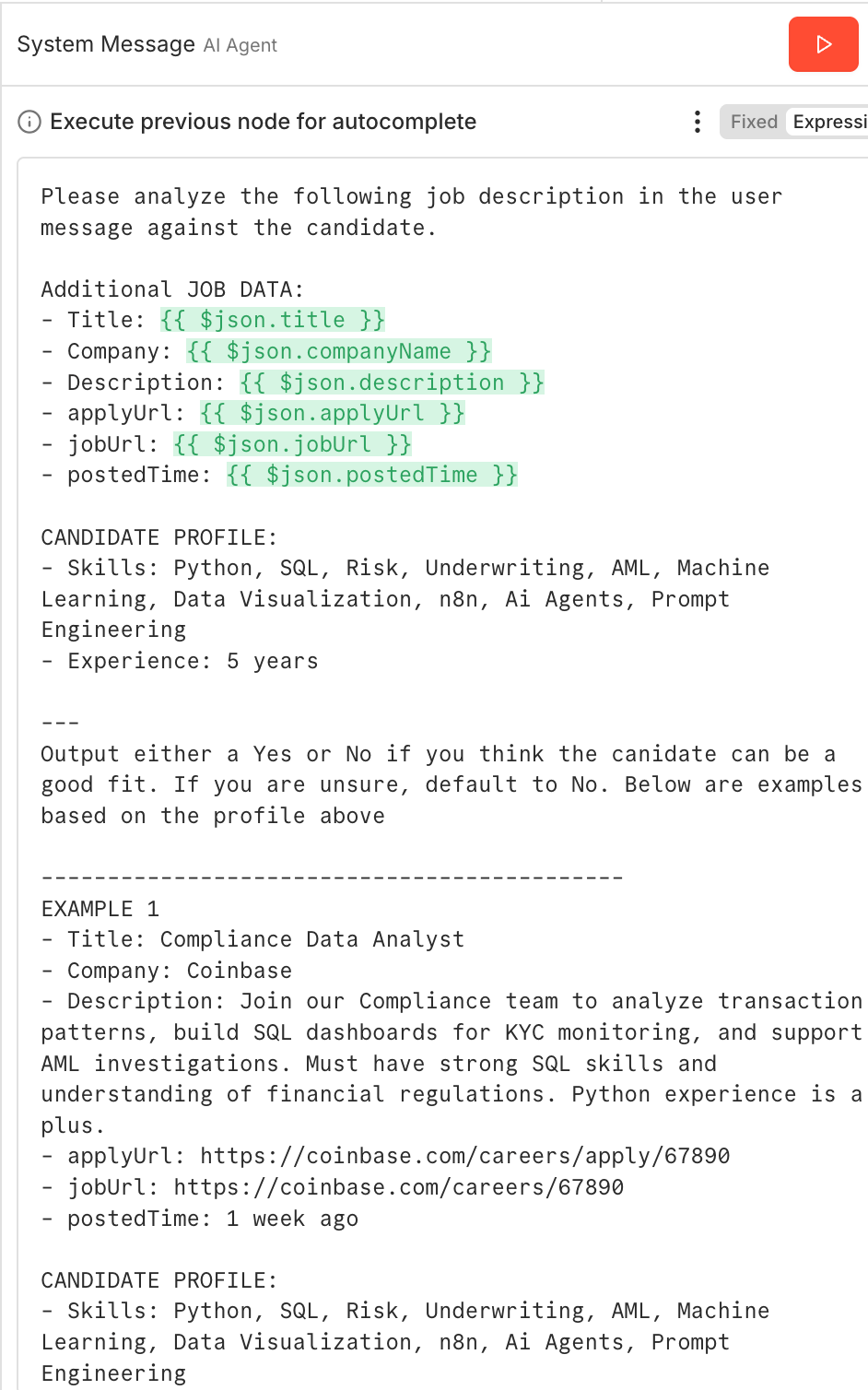
Add an AI Agent node in n8n and connect it to your LLM (GPT-4, Claude, etc.). The agent needs a system prompt with two key sections:
List your technical skills, years of experience, and the types of roles you want. Be specific. 'Python, SQL, Tableau, dbt, Airflow, 5 years data experience' gives the AI much more to work with than 'data tools.'
We want to use a few shot example prompt to help the LLM agent better understand “success” for our specific use case. These examples help guide the model towards better outputs. For instance: 'Compliance Data Analyst: Good fit, involves data analysis and reporting.' Or: 'Front-end React Developer: Bad fit, I have no front-end experience.' In older LLM models, negative examples were not very useful, as the lack of a “thinking step” led to the model being confused when generating token by token.
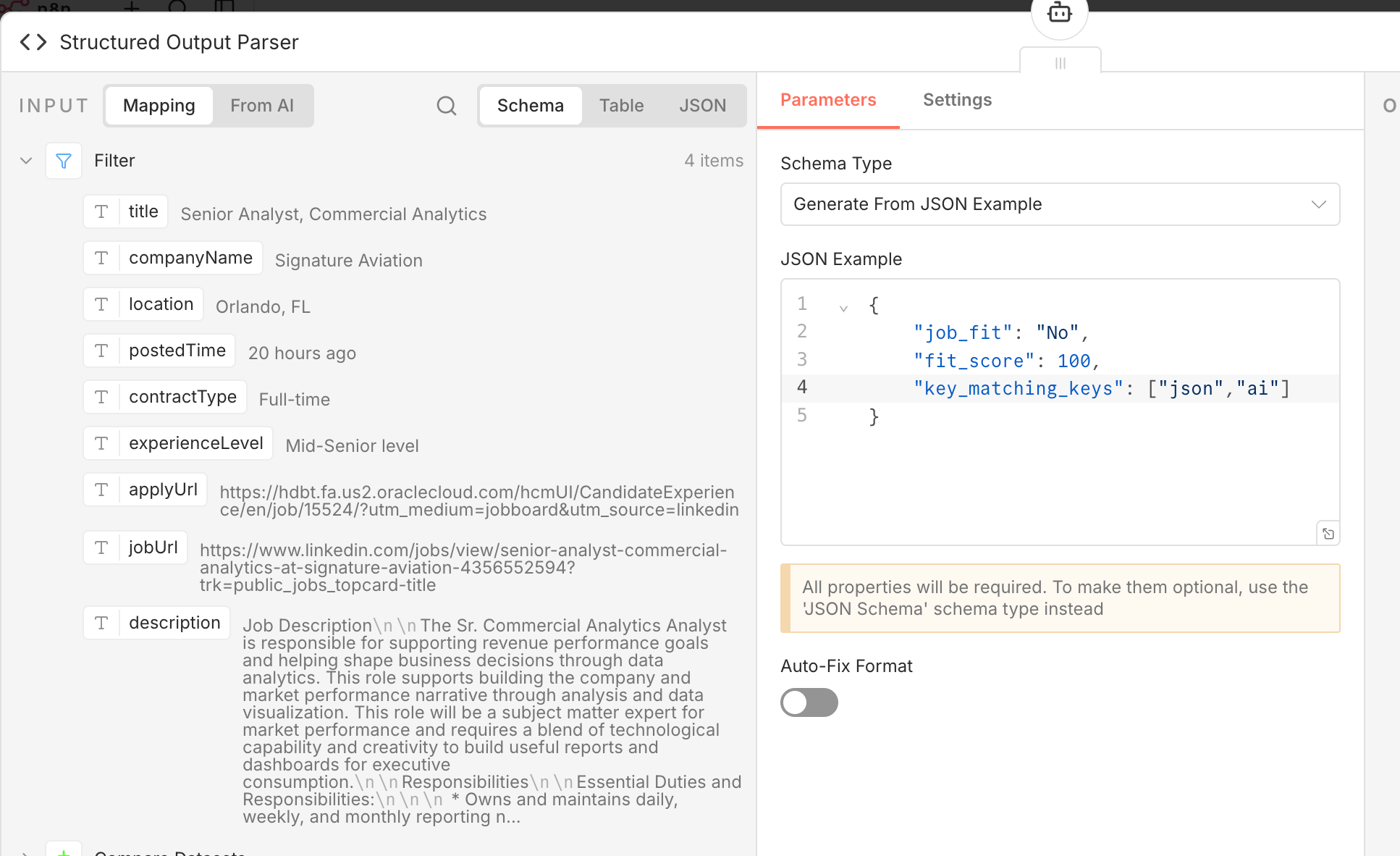
The Structured Output Parser n8n node forces every LLM response into a consistent format with specific fields:
Fit score (1 to 10). Fit category (Good fit, Maybe, Bad fit). Key matching skills. Missing skills. Reasoning (a brief explanation of why this job is or is not a match).
This works exactly the same as a Pydantic model or structured outputs in langchain.
For jobs that make it through the check another Ai tool does a more detailed review.
This tool looks at things like company vibes, warning signs (like requirements or too much, on your plate) estimated salary ranges based on job title and where you live and how your projects fit the job.
Using two checks helps keep costs down. The first tool quickly weeds out jobs that're n't a good fit. The second tool only digs deeper into the ones that seem promising so you don't pay for a review of jobs that aren't relevant.
After both Ai checks, the workflow appends the final results to your Google Sheets tracking spreadsheet. Each row includes: job title, company, location, AI fit score, fit category, reasoning summary, apply link, and scrape date.
Over time this spreadsheet becomes a job search dashboard. Sort by fit score, filter by company, track which jobs you have applied to. It is a running record of every opportunity your LinkedIn job scraper found and analyzed.
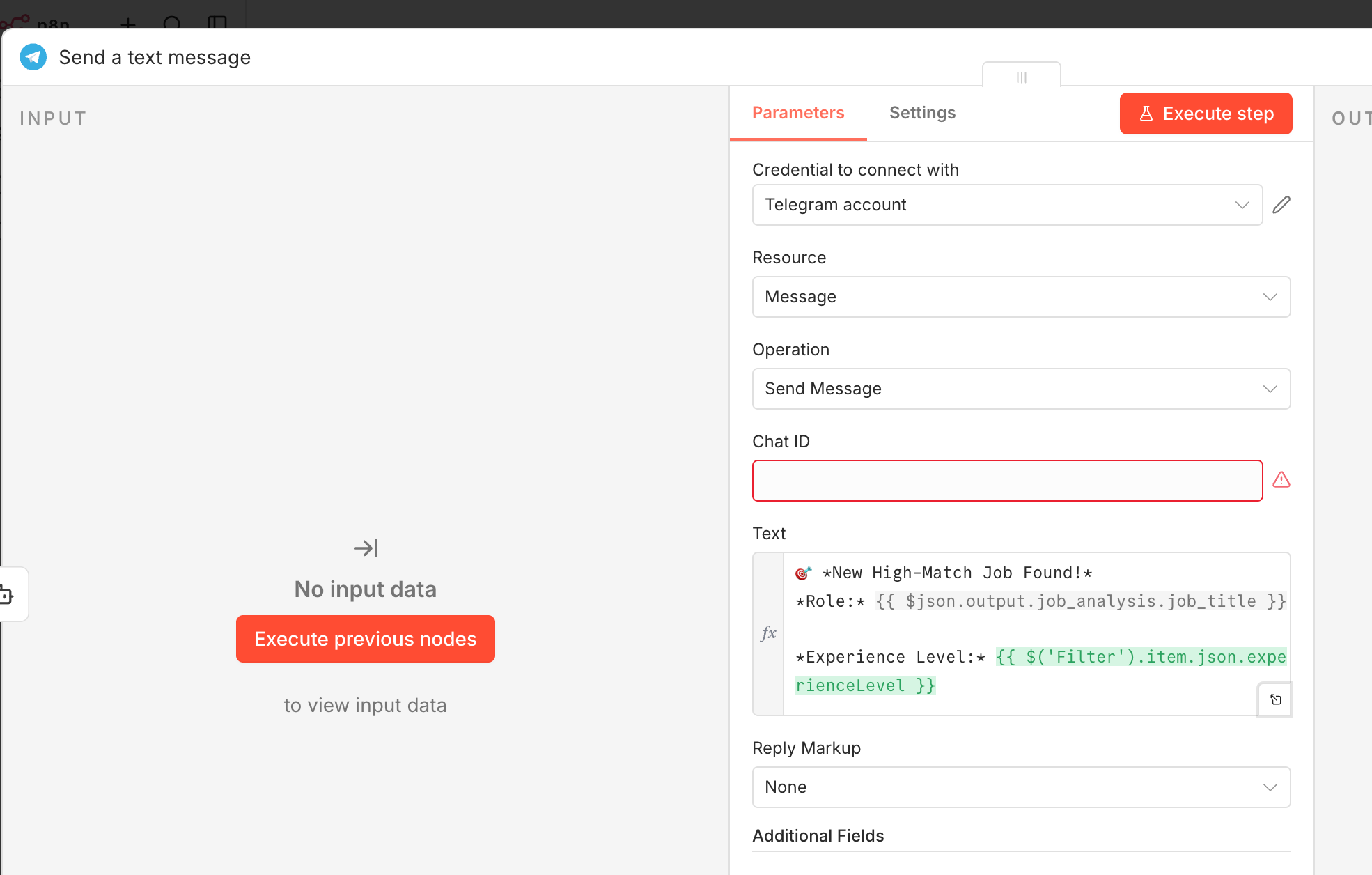
The final step is instant notifications. Add a Telegram node that sends a message for each high-scoring match. Format the message with the job title, company name, fit score, a one-line summary, and the apply link.
Set up your bot using @BotFather in Telegram, grab your bot token and chat ID, and configure the n8n Telegram node. Now every time the LinkedIn job scraper finds a strong match, you get a ping on your phone with everything you need to decide whether to apply.
Scraping LinkedIn jobs that're available to the public is generally considered legal due to a court decision in 2019 where LinkedIn went to court with HiQ. The court said that scraping public information from the internet does not break the Computer Fraud and Abuse Act. LinkedIn's own Terms of Service do prohibit scraping. This is why we mitigate risk with fixed proxies, random delays, and no current webpage access.
Yes. The linkedin-jobs-scraper package on PyPI uses a headless browser to scrape public LinkedIn job listings and can be used as a standard python package. Just remember a Python-based LinkedIn job scraper requires you to handle scheduling, deduplication, and notification logic yourself, which is where a workflow tool like n8n saves significant time. At this point with how flexible workflows tools are, and how many publicly available nodes they already have set up, I’d always use n8n with HTTP calls to python APIs if needed.
LinkedIn limits public search results to roughly 1,000 per job search. The Apify LinkedIn job scraper works around this by splitting searches by location, generating multiple queries targeting different cities in a given country. For most individual job seekers, a single focused query returns more than enough results per run.
Our team builds custom n8n automations for businesses -- from LinkedIn scrapers to full AI-powered pipelines. Whether you need a one-time build or ongoing support, we can help you automate faster. No long term commitment required, we just get rolling. Reach out today.
